
I sometimes work late at night, and I don’t want my screen flashing “white” every time I tab over to gmail while while my kids are sleeping.
And surprisingly, as far as I could tell, there isn’t a good Firefox dark mode extension just for Gmail and Google Chat. So I made gDark, a tiny extension for Firefox (and also for Chrome).
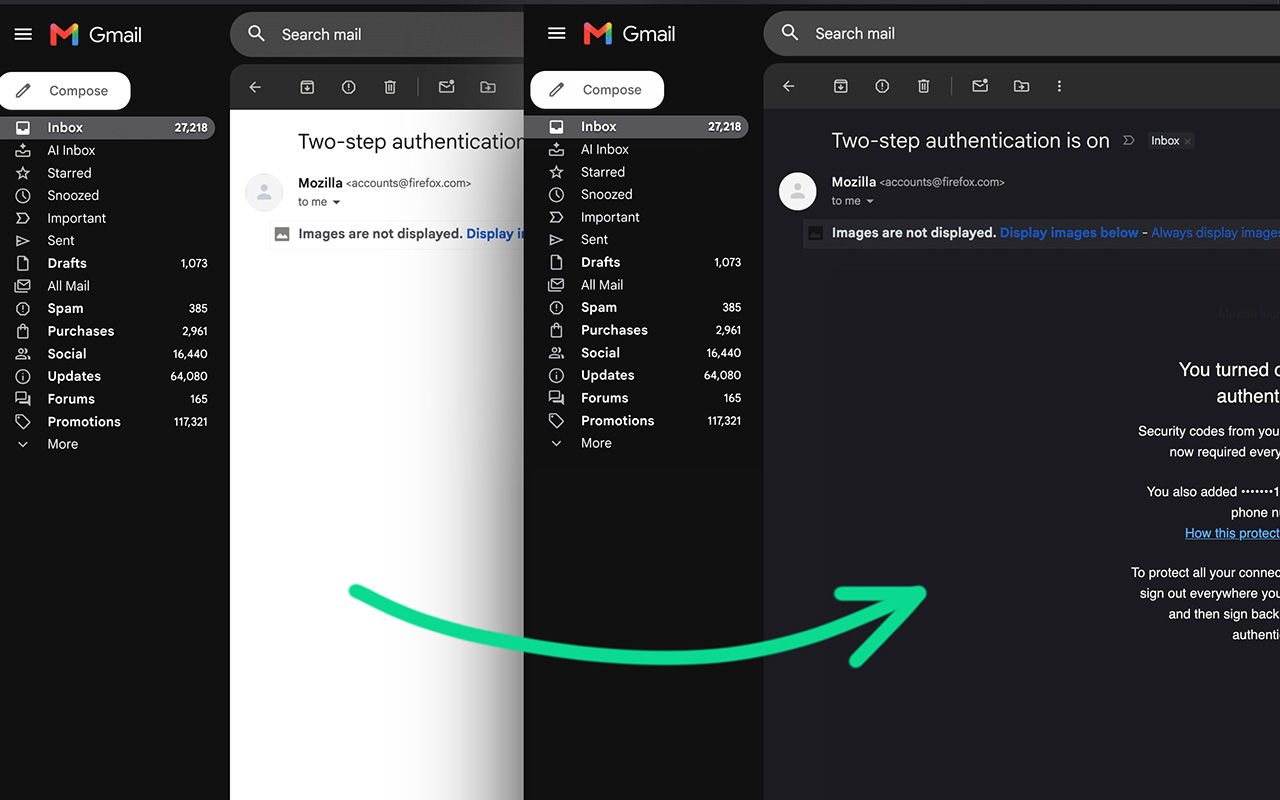
Why a Gmail dark mode extension?
I tried a couple and they all were doing too much (and still missing certain spots). I just wanted to darken the white areas.
I already like the “Dark” theme I have on gmail, and just wanted the white “Compose” and reading panes to be white too.
I also didn’t want to install a bunch of random ones that might be pulling my data or something.
Most “dark mode for Gmail” extensions just invert it and call it a day. I went through and tweaked all the little tiny UI elements so that it feels like a real dark mode experience.
So if you’re happy with Google’s own dark theme and just want the white areas gone, gDark is a small, boring fix.
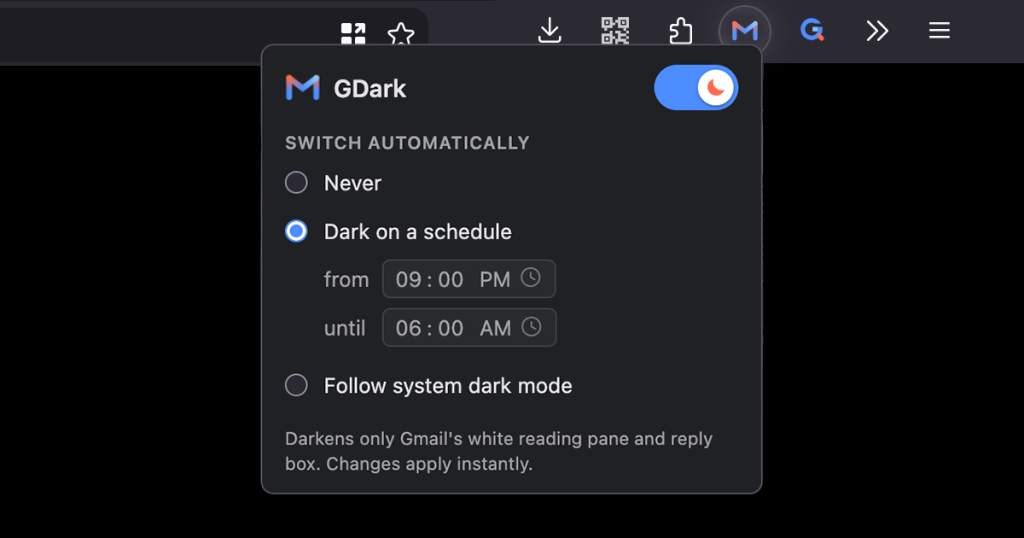
It also has a scheduler, because I only need this at night. I actually like the white area normally during the day.
You can override the schedule temporarily by clicking the “toggle” and then it’ll continue the schedule the next day.
How it works
It’s one stylesheet and a small script that only runs on mail.google.com / chat.gmail.com. It doesn’t run any background process and nothing on other sites. And the same folder ships to both browsers as a Manifest V3 extension.
What it darkens:
- The email you’re reading
- The inline reply / forward box
- GChat
What it leaves alone:
- Your Gmail theme, the sidebar: everything outside the email
- Emails that were already designed dark (like newsletters, etc), they’re detected and not re-inverted into blinding white
- Photos and logos: images are counter-inverted so they look normal
Privacy
I made this for myself as simple and barebones as possible. So no, it doesn’t do any tracking or telemetry etc. The only thing stored is your chosen mode and schedule, in the browser’s own extension storage.
Get it
gDark is free on both stores:
- Firefox Add-ons
- Chrome Web Store
- Source on GitHub — it’s open source (MIT)
Works with Gmail’s Dark theme (Settings → Theme → Dark). Firefox 127 or newer. Not affiliated with Google; Gmail is a trademark of Google LLC. Questions, or did i miss something? Leave a comment below or hit me on the support page, I generally reply to every message.
> gDark is the small, boring fix.
hey! it does exaactly what you want, that’s not boring!
; )
keep up the good work!!
Thank you brother! Let me know if there’s any area of gmail it misses for you (besides the theme itself).
Dude