
I use my Notes app on iOS religiously. I have one note in particular that has every single video idea I’ve ever had, all on one single note. A few days ago, I was thinking about how annoying it would be if I accidentally erased it, or like, what if my toddler gets my phone and erases it on one his rage sessions.
So I set up this Notes Backup for the Mac/iOS Notes.app
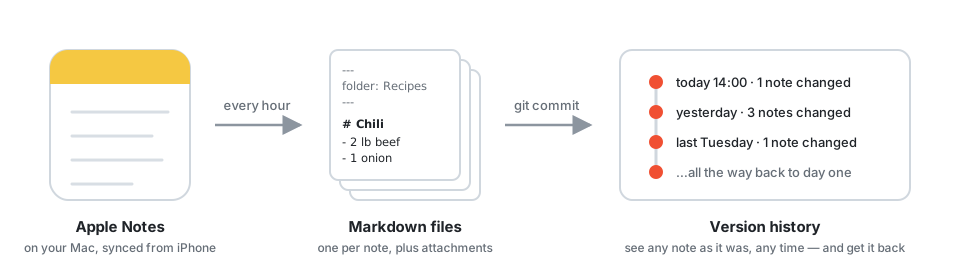
Why not just recover a deleted note?
Apple Notes doesn’t have a revisioning system. So if you change a note and then go to another note, whatever you did is permanent. And while yes, you can recover a deleted note, if the contents of the note were erased, there’s nothing you can really do about it.
I know I could just use Obsidian or some other notes app that versions everything for me, but I didn’t want to migrate to another product.
How it works
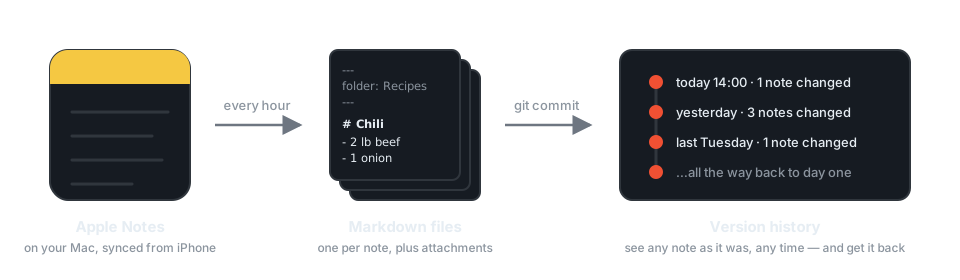
It’s kind of like Time Machine, but just for Apple Notes. Every hour, a background job on your Mac exports every note to a Markdown file. It commits the whole thing to a local git repo. So every note gets a full, diffable history.
You can choose whether to back up images, which makes the database larger.
It also keeps raw snapshots of the actual Notes database (every six hours for two days, then daily for a week, then monthly snapshots), in case you ever need perfect fidelity instead of Markdown.
Your iPhone needs nothing installed. If your notes sync through iCloud, they’re already on your Mac, and that’s what gets backed up.
Getting a note back
It’s all plain git, so any git tool works. Or skip the tooling entirely and ask your coding agent: “Show me what my Chili recipe note looked like last Tuesday.”
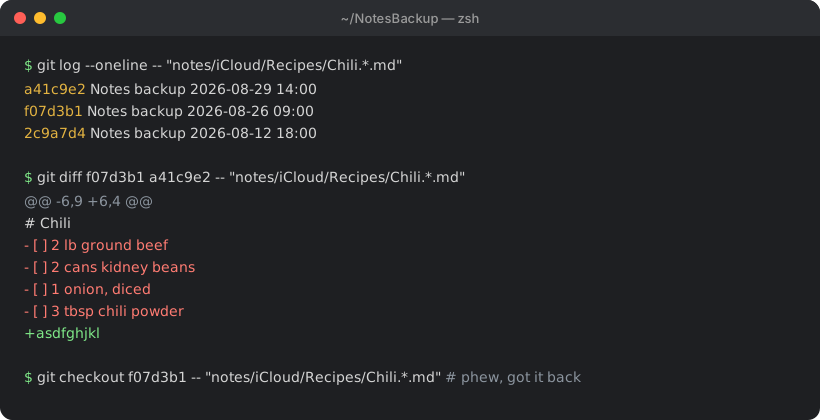
Copy the old text back into Notes and you’re done.
All local
This is completely local, no telemetry etc. So your notes stay completely private, which is part of why I wanted to make it myself instead of downloading some app that might talk back or something. The script makes zero network requests. It’s a few hundred lines of Python you can read yourself.
- The backup is just a folder at
~/NotesBackup. It never leaves your Mac unless you add a git remote and push it yourself. - Full Disk Access (which macOS requires to read the Notes database) is granted only to the project’s own private Python binary (not your terminal) and you can revoke it any time.
Install it
The install involves a Python environment, a launchd job, and granting Full Disk Access to exactly the right binary. The easiest way is to let Claude Code or Codex do it. Open your agent and paste:
Can we install this Apple Notes backup tool on my mac: https://github.com/texjer/notes-backupThis will clone the repo, run the installer, and walk you through the Full Disk Access toggle. After that, backups run hourly.
MIT-licensed, built on Rhet Turnbull’s excellent apple-notes-parser. If it saves your giant idea-note someday, or you’ve got a weird edge case, tell me about it below.
The things I do for peace of mind.
Wait so this works?
Yes of course, let me know if you have any trouble with it, super easy to set up if you just let an agent take the wheel
Fuckai broWASSUP
Waaaaazzzzuuuup